

Download Free TrueType Code 39 Barcode Font – free ttf code 39 barcode font, code 39 barcode font, barcode font for excel, barcode font for access, free barcode font for word, code 39 font download
Overview
The Free TrueType Code 39 Barcode Font by IDAutomation is a specialized utility designed for users who need to generate accurate, scannable barcodes using the Code 3 of 9 symbology. This tool enables individuals and organizations to print alphanumeric characters and select symbols directly through standard text formatting, making it ideal for labeling, inventory tracking, and data management tasks. The app serves as a lightweight, no-cost solution for businesses and professionals who require reliable barcode generation without investing in proprietary software. Its primary purpose is to simplify the creation of barcodes within common productivity applications, eliminating the need for complex barcode generators or third-party plugins.
Target users include small business owners, warehouse staff, educators, and technical professionals who rely on barcodes for internal tracking systems. The tool is particularly beneficial for qualifying organizations seeking a free, fully functional alternative to commercial barcode fonts. Real-world use cases include labeling product shipments, organizing library inventories, managing equipment logs, and streamlining internal documentation processes. In the broader app ecosystem, this utility fills a niche gap by offering a straightforward, open-access method for barcode integration, especially in environments where software licensing costs are a concern.
The developer, IDAutomation, is known for providing accessible tools in the barcode and data capture space. While no additional background details were provided beyond the developer name, the app’s functionality aligns with the company’s established focus on practical, efficient solutions. The release date of May 12, 2023, indicates a recent update, suggesting ongoing support and relevance in current workflows.
Key Features & Functionality
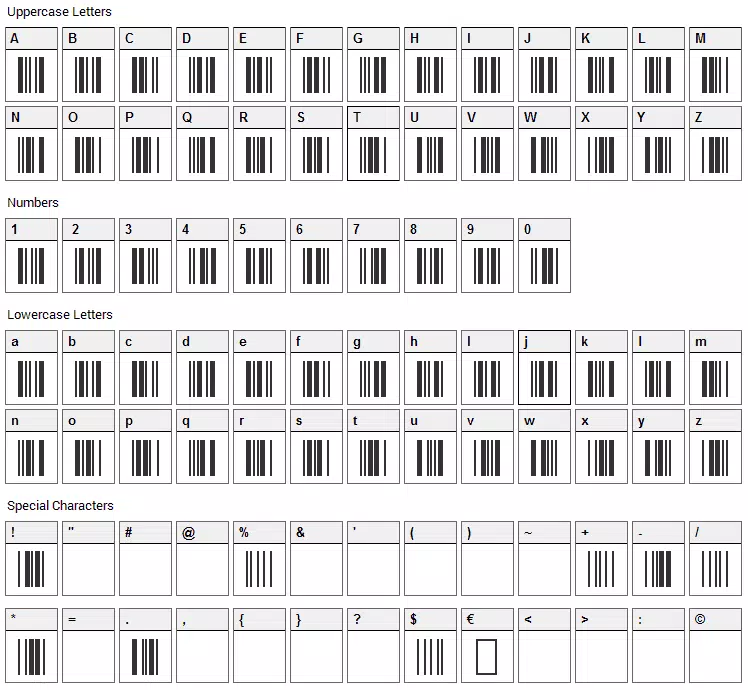
- Comprehensive Character Set – Supports all standard letters (A–Z), numbers (0–9), and essential symbols such as hyphen, space, dollar, percent, and others, ensuring full compatibility with Code 39 standards.
- Multi-Platform Compatibility – Includes ready-to-use examples for Microsoft Access, Excel, and Word on Windows, and OpenOffice Calc, iWork Numbers, and Pages on Mac, enabling seamless integration across major software environments.
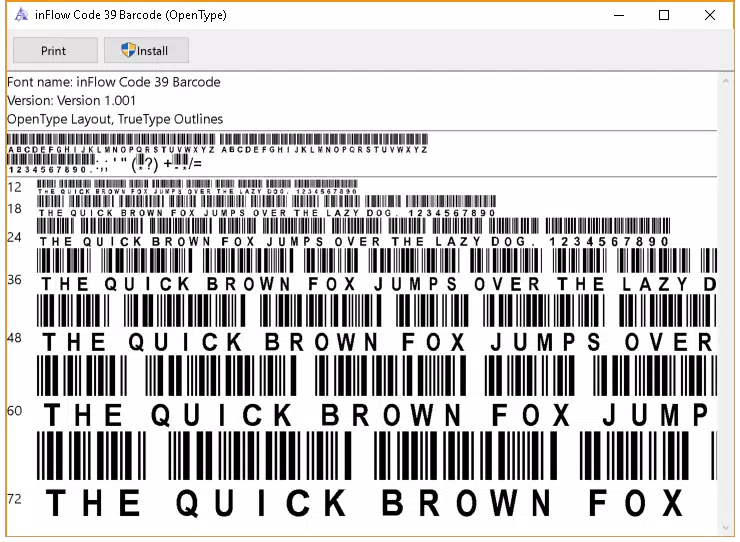
- TrueType and OpenType Versions – Offers both font formats, allowing users to select the version that best fits their operating system and application requirements.
- Easy Integration with Popular Applications – Pre-configured templates and usage guides reduce setup time, allowing users to generate barcodes within minutes of installation.
- Freeware for Qualifying Organizations – Fully functional without cost, making it accessible for nonprofits, educational institutions, and small enterprises that meet eligibility criteria.
For example, a warehouse manager can install the font and type "ITEM12345" in Microsoft Word, apply the Code 39 font, and instantly generate a scannable barcode for shipment labels. Similarly, a teacher organizing classroom materials can use the font in Excel to create student ID tags with unique barcodes. The integration with common tools ensures minimal disruption to existing workflows, maximizing efficiency without requiring specialized training.
Interface, UX & Performance
The Free TrueType Code 39 Barcode Font operates as a system-level font rather than a standalone application, meaning it does not feature a traditional user interface. Instead, its usability is determined by how easily it integrates into existing software like Word, Excel, or Access. Users interact with the font by selecting it from the font dropdown menu, typing their data, and rendering the barcode directly in their document or spreadsheet.
Navigation is straightforward, relying on standard operating system font management. The simplicity of this approach reduces cognitive load and minimizes learning curves. The performance is lightweight, with a file size of 1.1 MB, indicating minimal impact on system resources. Although the developer did not list formal performance metrics, the small footprint suggests stable operation across various device categories, including older or low-spec machines.
Responsiveness is consistent with typical font rendering behavior—barcodes appear instantly after font application. Stability is expected to be high, given the nature of static font files. No reports of crashes or conflicts were noted in the provided data, and the absence of runtime dependencies enhances reliability. Users can expect consistent output across different sessions and documents.
Platform Compatibility & Technical Requirements
The app is available for both Windows and Mac platforms, supporting a broad range of users across different computing environments. The developer did not specify minimum OS requirements or version details, so compatibility with specific Windows or macOS versions cannot be confirmed. However, given the nature of TrueType and OpenType fonts, it is likely compatible with recent versions of both operating systems.
The file size is 1.1 MB, which is compact and suitable for quick downloads. The software version is 1.0, indicating a stable initial release. As the app is free, no purchase or subscription is required. The developer did not provide information about device-specific requirements or hardware constraints, so users should ensure their system supports standard font installation procedures.
Pros and Cons
Pros
- Completely free for qualifying organizations, eliminating licensing costs.
- Supports both TrueType and OpenType formats for maximum compatibility.
- Seamlessly integrates with widely used productivity tools like Excel, Word, and Access.
- Lightweight file size (1.1 MB) ensures fast download and minimal system impact.
- Provides ready-to-use examples for multiple platforms and applications.
Cons
- No standalone application interface; users must manually apply the font in other software.
- Specific OS compatibility details were not disclosed by the developer.
- Requires users to understand basic barcode formatting principles to use effectively.
- Only available for Windows and Mac; no mobile or web-based version was mentioned.
- Eligibility for free use may require verification, though no details were provided.
FAQ
Is the Free TrueType Code 39 Barcode Font truly free to use?
Yes, the font is offered as freeware for qualifying organizations. No payment is required for eligible users, though specific eligibility criteria were not disclosed by the developer.
Can I use this font on mobile devices?
The developer did not provide information on mobile compatibility. The app is currently available for Windows and Mac, and no mobile versions were mentioned.
Is the font secure to download and install?
As a standard font file distributed by IDAutomation, the package is considered secure. Users should download from official sources to ensure authenticity and avoid third-party modifications.
What applications support this barcode font?
The font is compatible with Microsoft Access, Excel, and Word on Windows, and OpenOffice Calc, iWork Numbers, and Pages on Mac. It can also be used in any application that supports custom font installation.
Do I need to update the font regularly?
No update schedule was provided by the developer. Given the static nature of font files, updates are likely rare unless new features or compatibility improvements are introduced.
Final Thoughts
The Free TrueType Code 39 Barcode Font stands out as a practical, no-cost solution for users needing reliable barcode generation within familiar productivity environments. Its straightforward integration, broad platform support, and comprehensive character set make it a valuable tool for organizations focused on efficiency and cost control. While it lacks a graphical interface, its reliance on standard software ensures accessibility and minimal overhead. The lightweight design and free availability enhance its appeal, particularly for small businesses, educators, and technical teams managing inventory or documentation.
For users who need to generate scannable barcodes without investing in complex software, this utility delivers clear value. Its ability to work across Windows and Mac systems with minimal setup makes it a versatile addition to any workflow. Download the Free TrueType Code 39 Barcode Font now and streamline your labeling and tracking processes with confidence.


